Use cases › Service Desk Copilot
Build and operate
How Harbourline builds the Service Desk Copilot with the Builder, configures what needs a person, goes live, and runs it day to day.
- Everyone
- Technical
Last reviewed
Harbourline builds most of the Service Desk Copilot by describing it to the Builder. People then do the parts that need a person: credentials, sign-in, the ServiceNow side, testing and going live. After that, running it is mostly watching the numbers.
At a glance
| Phase | Who | Roughly |
|---|---|---|
| Build by conversation | A builder with a sample export | A few Builder turns |
| Configure credentials and sign-in | A builder with the ServiceNow and identity teams | Depends on your change process |
| Test and go live | The builder, a Teams administrator, the service desk lead | A short pilot |
| Operate | The service desk lead and the Solution's Managers | Ongoing |
1. Build by conversation
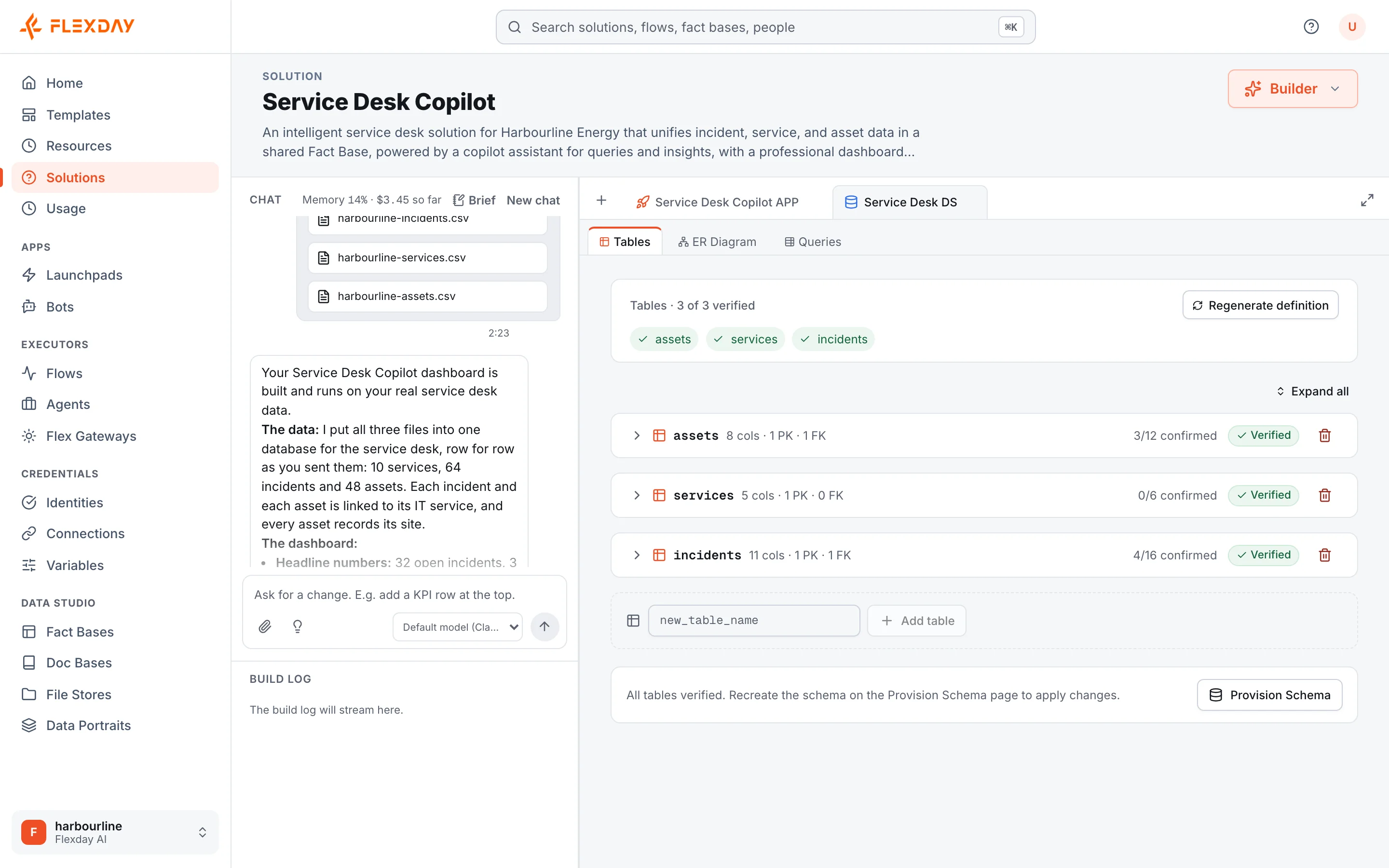
On the Studio home page, the builder attaches a sample incident export (CSV) and a few knowledge articles, and writes:
Build a service desk copilot for Harbourline's IT team.
Data: load the attached incident export as a Fact Base with incidents, incident events and sites. Incidents are keyed by the ServiceNow sys_id. Add saved queries for open incidents by priority, SLA at risk, incidents by site and the status of one incident by number, plus a write query that inserts or updates an incident, and one that adds an incident event.
App: a dashboard for IT staff with those three views, a site map, recent changes and a chat panel.
Knowledge: a Doc Base from the attached articles.
Agent: a service desk assistant that answers from the Doc Base first, with sources, looks up an incident by number, and runs a Flow to raise a ticket after collecting email, site, device and what was tried. It will answer in Teams, so no forms.
Flows: Ingest incident, Nightly reconcile at 02:00 Europe/London, Raise incident and P1 alert, as described in the attached design notes.
Done when:
- Every dashboard view shows data from the Fact Base
- The Agent cites an article when answering a VPN question
- The Raise incident Flow uses the ServiceNow Create ticket action
The Builder creates the Fact Base, loads the rows, saves the queries, writes the dashboard, creates the Doc Base, the Agent and the Flows, and proposes the Variables it needs for the builder to confirm. Once the dashboard exists, each read query becomes a gateway endpoint as soon as it is saved, and the finish wires any still left. Its finish gate checks the "Done when" list before the turn ends. The builder then refines by chat: "put the site map above the table", "add a filter for priority".
Tip
Put standing instructions (naming, tone, "never ask for a password") in the Solution's Brief. The Builder reads the Brief on every turn.
2. Configure what needs a person
| Task | Where | Notes |
|---|---|---|
| ServiceNow Connection | Credentials → Connections | Kind Application, ServiceNow, OAuth client credentials; instance address; a duplicate-prevention field. ServiceNow's team creates the OAuth client and a service account that can read and write incidents. |
| Variables | The Solution's Variables tab | Assignment group, support email, SLA minutes, P1 contacts, and the status page token as a Secret. |
| Intake gateway and key | Executors → Flex Gateways and Credentials → Identities | A second gateway with one flow endpoint for Ingest incident. An API key Identity: mint the key with New key on its Configuration tab, where it is shown once, then attach the Identity on the gateway's Authentication tab. |
| ServiceNow business rule | ServiceNow | After insert and update on incidents, call an outbound REST message to the flow endpoint with the X-Api-Key header. |
| Dashboard sign-in | Cognito and Credentials → Identities | See Authentication. |
| Runbook audiences | The Doc Base's Files view | Tag runbooks it-staff; link the knowledge-exports store with automatic indexing. |
| Evaluations | The Agent's Evals and Instructions tabs | A golden set of VPN, password and ticket-raising cases, marked as the default set. Then switch on Require evals to pass before publishing on the Instructions tab: a publish is refused unless that set's latest run against the draft passed. |
| Bot | Apps → Bots | Bound to the Agent. Choose Flexday.ai manages it where your deployment offers managed registration, otherwise Your own Azure registration. |
3. Test and go live
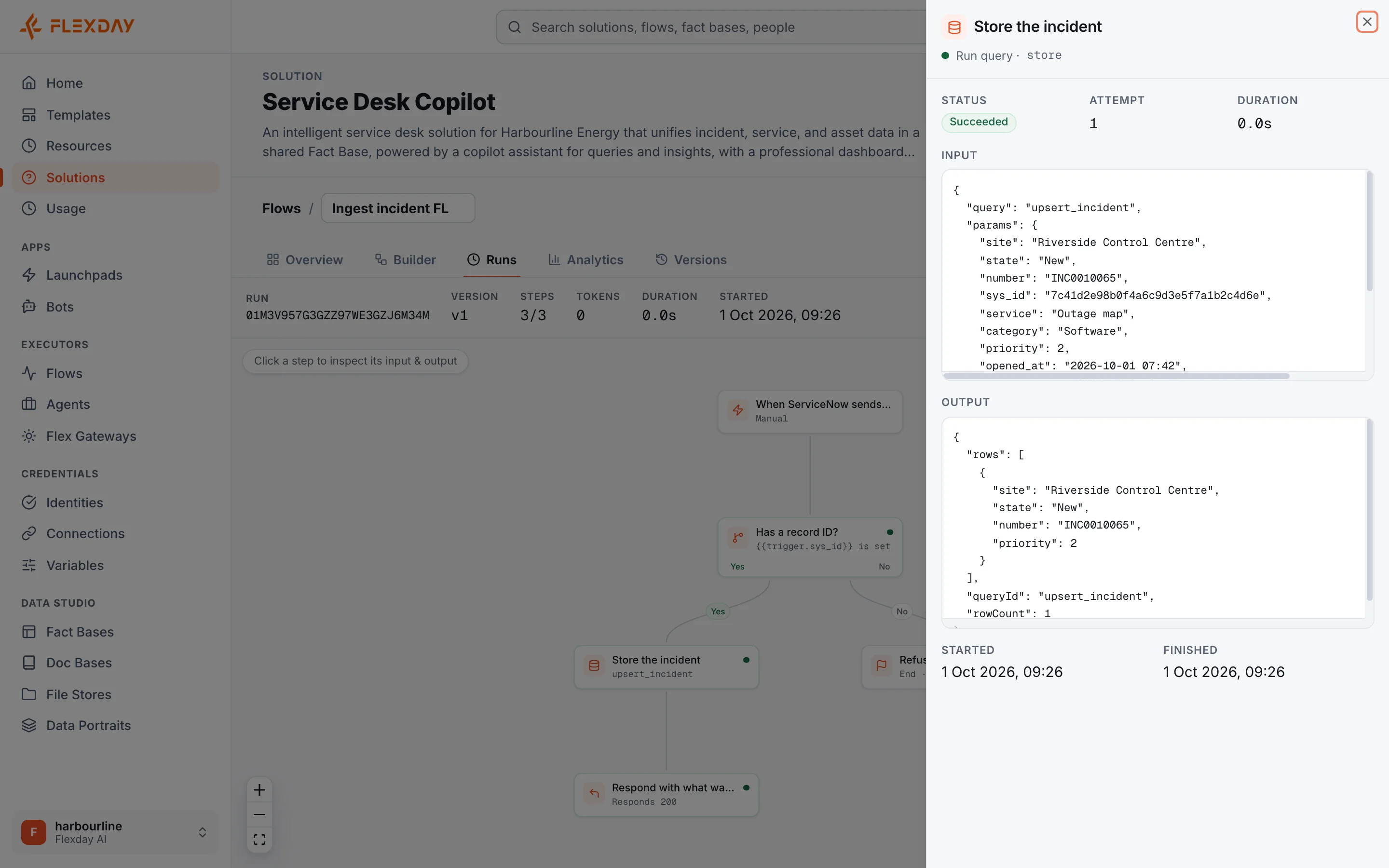
- Test the Flows. Start a test run of Ingest incident's draft with a sample body through the Studio's API (its Test run button starts one with no input), then read the step trail in the Flow's Runs view. Once the Flows are published (step 3), point a ServiceNow test instance at the intake endpoint before the production one: an endpoint runs the published version, and Integration steps are safest tried against a non-production instance.
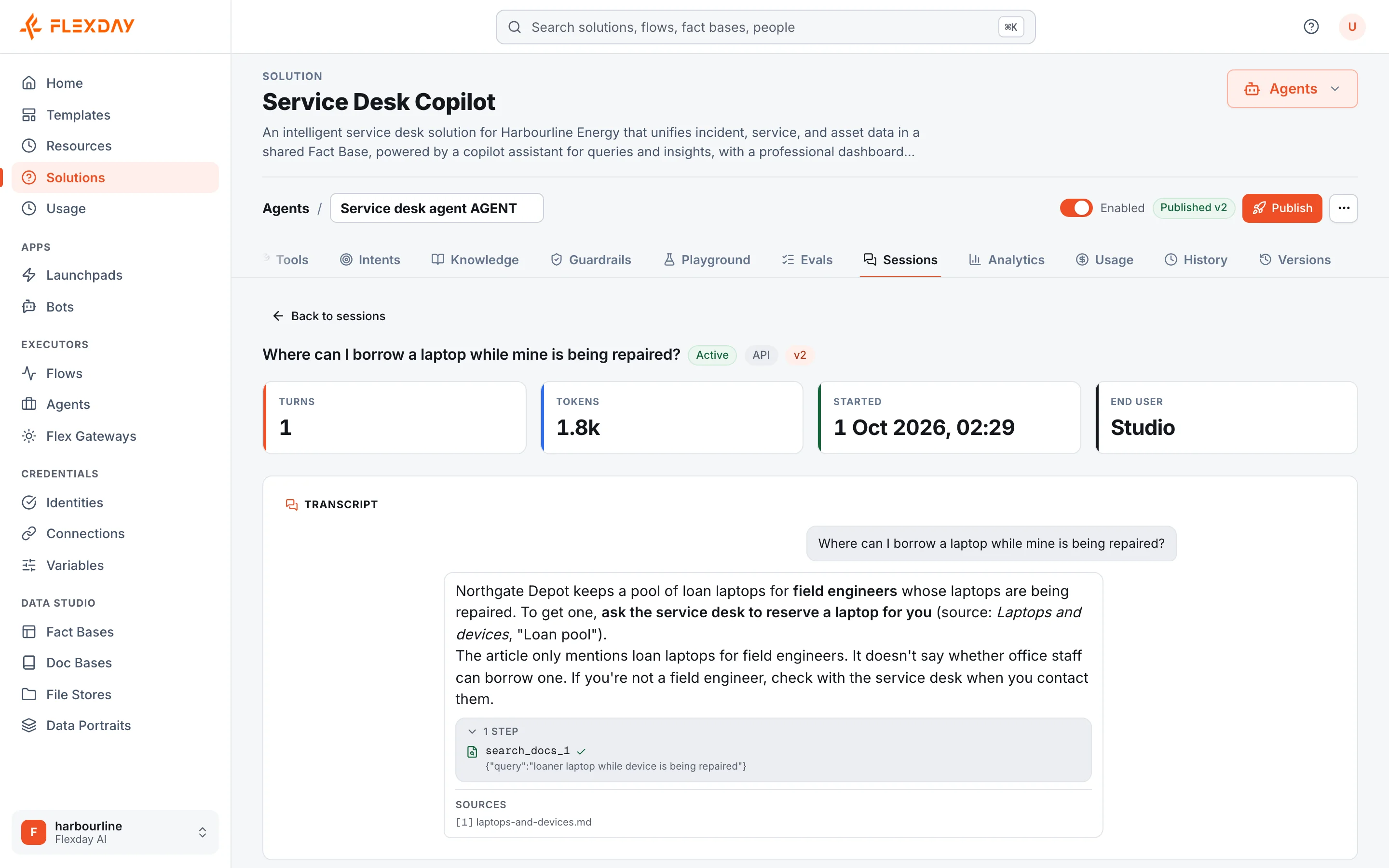
- Test the Agent. Use the Playground, and its Preview as an end user option (owners and admins)
with and without the
it-stafftag to check who sees runbooks. Anything that would send or write is refused while previewing. - Publish. Publish the Flows and the Agent; each publish runs its checks and creates a version. Switch on Nightly reconcile so its schedule can fire.
- Deploy the dashboard. The first build deployed itself; deploy again after changes.
- Go live in Teams. On the Bot's Setup tab, run the credential checks, then choose Go live at the top of the Bot's page. Then have a Teams administrator publish it to your organisation's catalogue with Publish to your org, or by the manual app-package route the tab describes. On-call engineers then add it in Teams, which gives the Bot the conversation with each of them that P1 alerts need.
- Pilot. Start with one department and review Agent analytics after a week.
Go-live checklist
- The ServiceNow Connection has a duplicate-prevention field
- Every required Variable has a value (Flows cannot be switched on without them)
- The Harbourline SSO Identity passes Check a credential for a real user
- Runbooks carry the
it-stafftag; public articles carry none - The Agent's evaluation set passes on the version being published
- Nightly reconcile is published and enabled
- The intake gateway has only the one flow endpoint
- On-call engineers have a conversation with the Bot
4. Operate
| Activity | Where | How often |
|---|---|---|
| Watch cost | The Solution's Usage view | Monthly |
| Review conversations and feedback | The Agent's Analytics and Sessions | Weekly during the pilot, then monthly |
| Check automation health | Each Flow's Runs and Analytics | Weekly; the nightly summary email flags problems daily |
| Check Teams delivery | The Bot's Deliveries view | After any P1 |
| Rotate credentials | The Connection, the API key Identity, the Secret Variable | On your security team's schedule |
| Review access | The Solution's People view; the Identity's Members | Quarterly |
Changing it safely
- Ask the Builder for changes. A dashboard change waits in the app's draft until someone deploys it. Flow and Agent changes wait in their drafts until they are published, which the Builder can also do, for example when a button it built needs a published Flow.
- A new Fact Base column is a schema change. The Builder works out the plan first and is told to describe it in the chat, then applies exactly that plan in one transaction; it does not wait for an approval.
- Every version is in the resource's Versions view, and the Builder's and other AI work is in History. Who changed a resource is in the workspace's audit trail, which admins read through the platform's API.
- To give another region the same Copilot, publish it as a Template: the copy arrives with credentials blank and Flows and the Agent unpublished.
When something goes wrong
| Symptom | Likely cause | Where to look |
|---|---|---|
| Dashboard shows old data | Pushes failing | ServiceNow's outbound log; the Ingest incident Flow's Runs; the nightly summary |
| "Missing API key" from the intake gateway | The header is missing or misnamed in ServiceNow (a wrong key gets "invalid API key" instead) | The outbound REST message's headers |
| Raise incident fails with a named ServiceNow reason | A mandatory field or permission in ServiceNow | The Flow run's step trail |
| A Create ticket step stopped "in doubt" | The call was cut off and could not be checked | ServiceNow, for the ticket; add a duplicate-prevention field if missing |
| An engineer did not get a P1 message | They sent STOP, have no conversation, or the hourly allowance was used | The Bot's Conversations and Deliveries |
| Dashboard sign-in refused with a rule name | The person's email domain, or a claim or scope the Identity requires, does not match its rules | Check a credential on the Identity |