Capabilities
Reuse and portability
Turn one working Solution into many with Templates and the global catalog, move Solutions with export and import, and keep per-Solution settings in Variables.
- Everyone
Last reviewed
Once something works, you should not have to build it twice. Flexday AI lets you publish a Solution as a Template that others start from, browse a global catalog of Templates from Flexday AI, export a whole Solution to one file and import it somewhere else, and keep each Solution's own settings in Variables so a copy only needs its values filled in.
What you can do
- Start a new team from a working Solution. Use a Template and a copy is made for you in the background, with no AI build in between.
- Choose what data comes along. When publishing a Template, keep the Fact Bases' rows or only their structure; the choice applies to all of them.
- Improve a Template over time. Refine it in its own Builder and release a new version so future copies get its app changes (its data, Flows and Agents are copied as they stand).
- Start from Flexday AI's catalog. Browse and preview curated Templates with their real data before you use one.
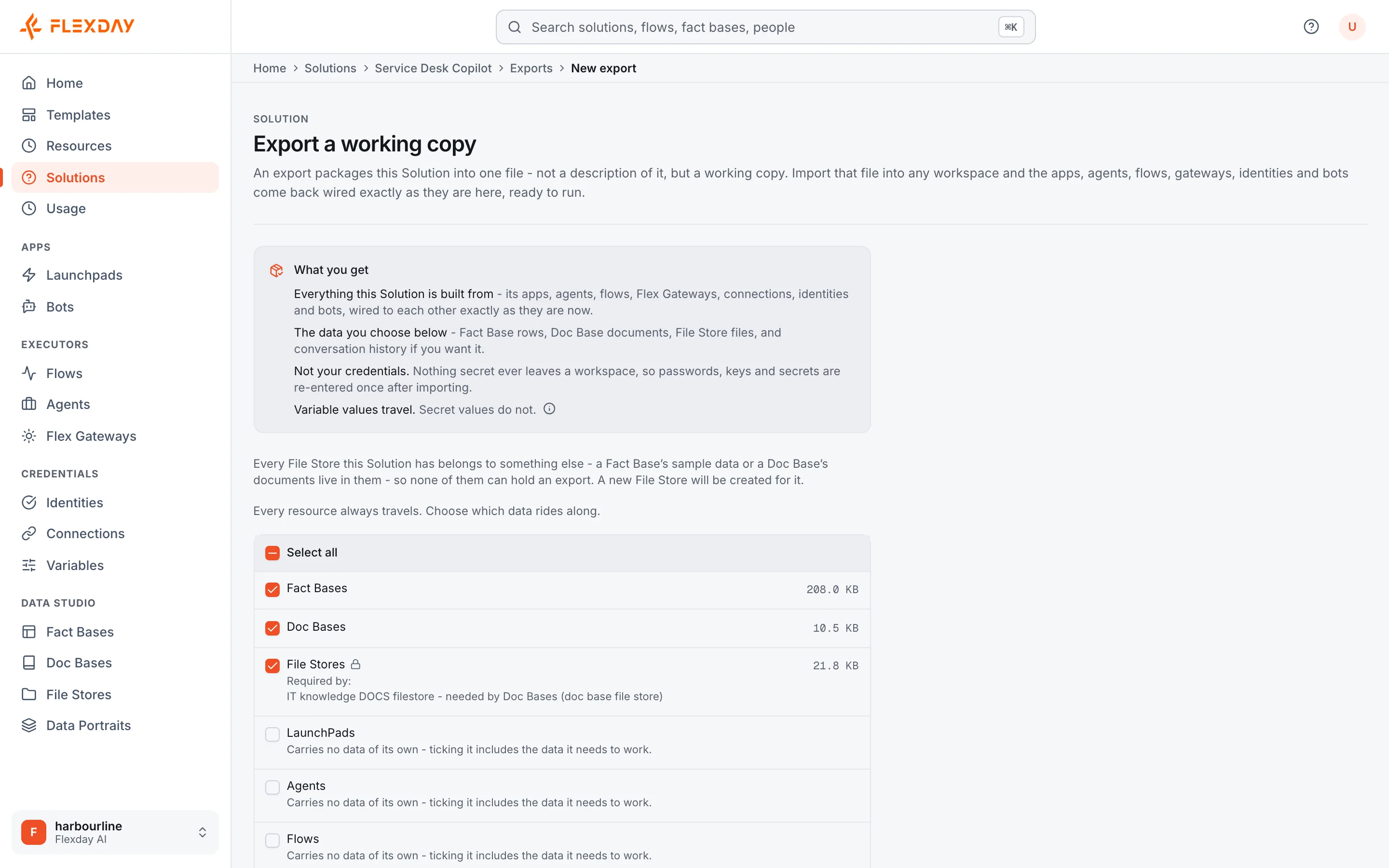
- Move or back up a Solution. Export it to one bundle, choosing rows, documents, files and history, and import it as a new Solution in another workspace or deployment.
- Keep settings out of workflows. Variables hold addresses, thresholds and tokens, so a Template declares what it needs and each copy supplies its own values.
- Copy safely. Copies arrive with apps in draft, Flows and Agents unpublished, and credentials blank.
How it works
| Need | Use | What happens |
|---|---|---|
| Many teams starting from the same thing | Template | A background job copies the Template into a new Solution. Read endpoints are recreated; endpoints that start a Flow, talk to an Agent or handle files are added again, and anything skipped is listed. No app is live and no automation runs until someone reviews and publishes it; the recreated read endpoints answer without sign-in until an Identity is attached. |
| A curated starting point | Global catalog | Frozen, versioned releases from Flexday AI; other workspaces see only these snapshots. |
| Moving one Solution | Solution export and import | One bundle file; an import always creates a new Solution and remaps every reference. |
| Moving one resource | Fact Base, Flow or Agent export | The resource and the Variables it needs; a Fact Base arrives unprovisioned. |
| Different values per Solution | Variables | Templates carry definitions and non-secret defaults; a Solution export also carries the non-secret values you set; secrets are always entered at setup. |
Secret values never reach your Solution by any route: Template copies, catalog copies and imports all arrive with credentials blank. After a copy or an import, the setup screen lists every credential and Variable value to enter.
Example
A retail group builds a store-operations Solution for one region: a Fact Base of stores, a dashboard, an escalation Flow and an Agent for staff questions. It uses Variables for the regional manager's email and the escalation threshold. They publish it as a Template, choosing to keep the store structure but not the region's rows. Each new region uses the Template, loads its own stores, sets its two Variables, enters its own ServiceNow Connection, adds back the dashboard's endpoint for the escalation Flow, and deploys, without rebuilding anything.
Who uses it
| Persona | What they get |
|---|---|
| Builder | A head start, and a way to share what works |
| IT and platform teams | Standard Solutions rolled out consistently; bundles for moving between environments |
| Security | No credentials in the copies people start from, or in export bundles; imports never overwrite |
| Functional user | A process that works in one team rolled out to others without rebuilding it |